
Manage Your Networking!

Posted 10 years ago by
Richard "RB" Botto 
Starting today, all Stage 32 members have automatically been set to receive a single email a day with all network requests. Keep in mind, you have full control of these settings. So if you would still like to receive a single email for every network request sent to you on Stage 32, you can change the setting accordingly.
RB
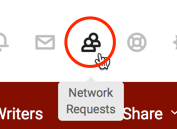
1. Click the Network Requests icon in the upper right corner of the page to go to your Pending network requests page.
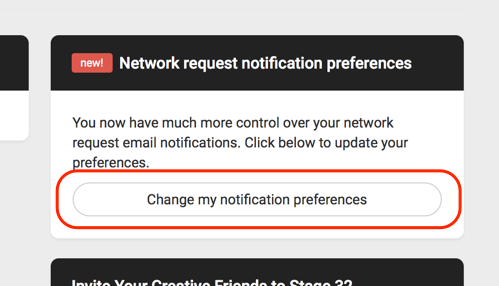
2. Click the Change my notification preferences button on the right side of the page.
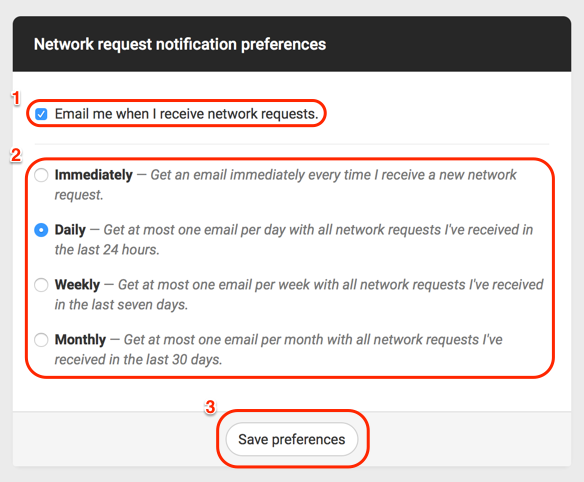
3. Here, you can choose whether or not you want to receive notifications of new network requests via email (1). You can also choose to receive notifications immediately when you receive a network request, daily, weekly, or even monthly (2). Make sure to click Save preferences when you’re done (3).
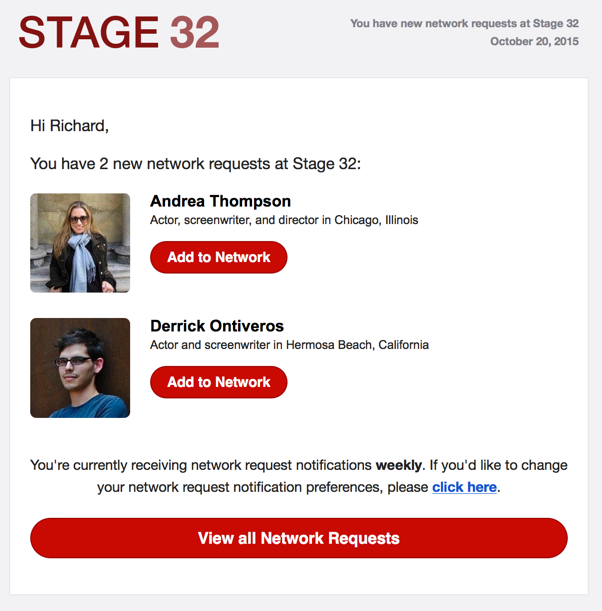
4. Your Stage 32 network requests will look like this!
Like this blog post? Please share it on social media (Facebook, Twitter, LinkedIn, email etc) by using social media buttons at the top of the blog. Or post to your personal blog and anywhere else you feel appropriate. Thank you.
As always, we welcome thoughts and remarks on ANY of the content above in the Comments section below...
| RB's Stage 32 News, Notes, Discussions and Other Fun Stuff (October 23, 2015) |
| The 10 Most Common Reasons Why Scripts Are Rejected |


Search Stage 32 Blog
There are now 4059 blog posts for you to enjoy. Search them all by tags below.
Acting, Advice, Cinematography, Coffee & Content, Composing, Contests, Distribution, Featured, Filmmaking, Financing, Inspirational, Networking, Producing, Screenwriting, Success Stories, Tips, Trending,Relevant Tags
Recommended Articles

A Practical Guide for Actors: Tips & Advice Every Performer Should Know

Stage 32 Featured at the 43rd Torino Film Festival!

Stage 32 Certification Featured In IndieWire!

From Beats to Boards: A Systematic Way to Plan Your Screenplay

Forbes Spotlights Stage 32 Certification!

Stage 32 Is My Magic Key To International Networking And Education

Coffee & Content: There is No Hollywood Anymore. The World is Hollywood.

The Author + Screenwriter Collaboration: Adapting A Novel Into A Screenplay

Coffee & Content: Low Stakes Stories, High Stakes Decisions

Want Success in the Entertainment Industry? Start Writing Your Own Narrative
 Register / Log In
