
Blogging About the Blog

Posted 11 years ago by
Richard "RB" Botto 
Since our inception way back in the latter half of 2011, we’ve taken particular pride in our award winning blog. Since the very early days when Rex Pickett, author of Sideways, offered me the exclusive 6 part series of his incredible insider tale, My Life on Spec: The Writing of Sideways, we’ve been blessed with stories and advice from some incredible Hollywood insiders and up and coming amateur voices alike.
Early on, a Stage 32 Blog post averaged about 2,000 reads. Today, a new blog post averages about 40,000 making the Stage 32 Blog one of the most well read blogs on the web.
Over the course of 3+ years, we’ve posted over 400 blog entries covering a myriad of topics covering just about every discipline in the film, television and theater spectrum. And now we’ve made it easier than ever to comb through our extensive archives and find entries suitable to your interests.
Introducing the new and improved Stage 32 Blog. We’ve spruced things up, added a new coat of paint, and expanded our scope. Besides easier readability and new and improved search functions, you can expect even more entries and activity.
We hope you like what we’ve done with the place.
RB
Early on, a Stage 32 Blog post averaged about 2,000 reads. Today, a new blog post averages about 40,000 making the Stage 32 Blog one of the most well read blogs on the web.
Over the course of 3+ years, we’ve posted over 400 blog entries covering a myriad of topics covering just about every discipline in the film, television and theater spectrum. And now we’ve made it easier than ever to comb through our extensive archives and find entries suitable to your interests.
Introducing the new and improved Stage 32 Blog. We’ve spruced things up, added a new coat of paint, and expanded our scope. Besides easier readability and new and improved search functions, you can expect even more entries and activity.
We hope you like what we’ve done with the place.
RB
Here's how to use all the new blog features:
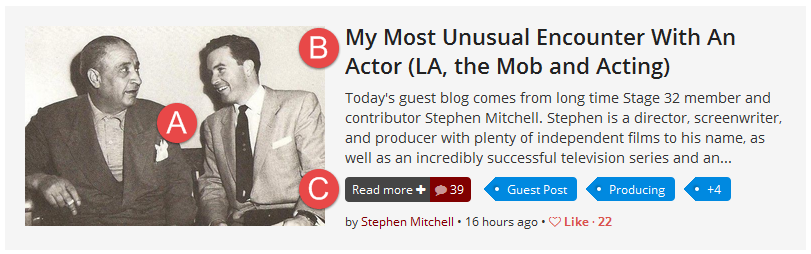
To access the blog post you can click on the image of the blog post (A), the title (B), or the “Read more” button (C).
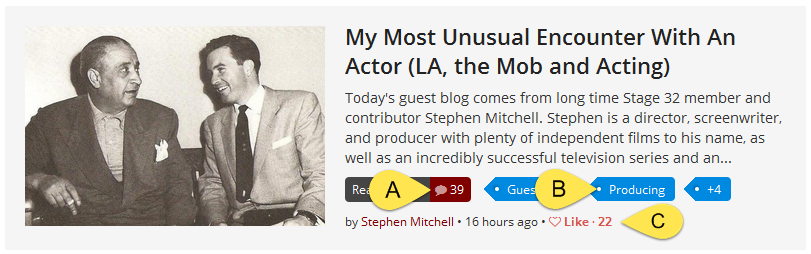
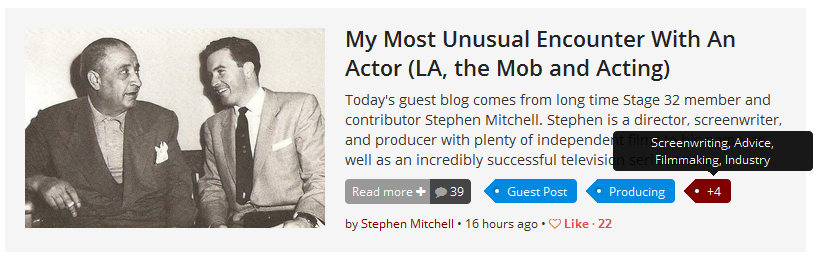
Want to know all the tags associated with the blog? Hover over the last numbered tag to see what other categories this blog falls under.
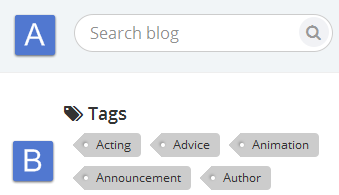
Searching for blogs is now easier than ever – you can use the field in the heading (A) to search for any particular keywords, or click on any specific tags (B) to see the blogs only within that category.
Once inside the blog post you will notice pagination arrows (A) to each side of the post. This will allow you to quickly browse through your search results.
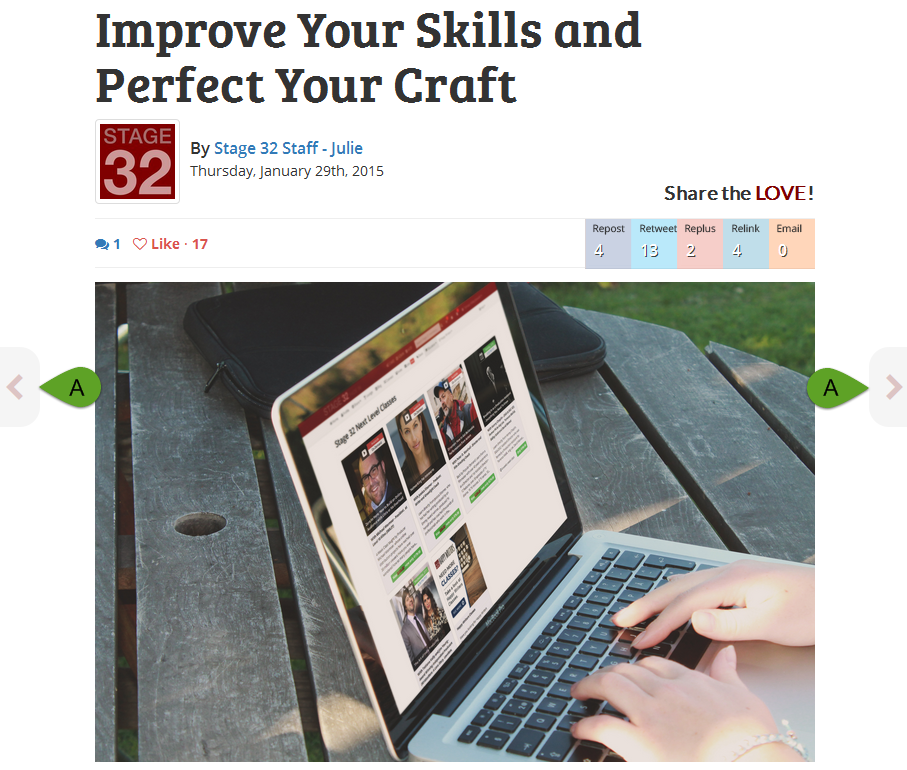
Once you reach the end of the blog post, you will see a recommendation (A) based on the tags of the current blog post. You can close it out with the button (B) in the upper right corner.

And, last but not least, you will see some fun, educational and informative blogs on the site. PLEASE SHARE THEM! You can do so by clicking the social media buttons at the top of the blog post to instantly share to your network. (1 - 5)
.png)
Like this blog post? Please share it on social media (Facebook, Twitter, LinkedIn, email etc) by using our social media buttons at the top of the blog. Or post to your personal blog and anywhere else you feel appropriate. Thank you.
As always, we welcome thoughts and remarks on ANY of the content above in the Comments section below...
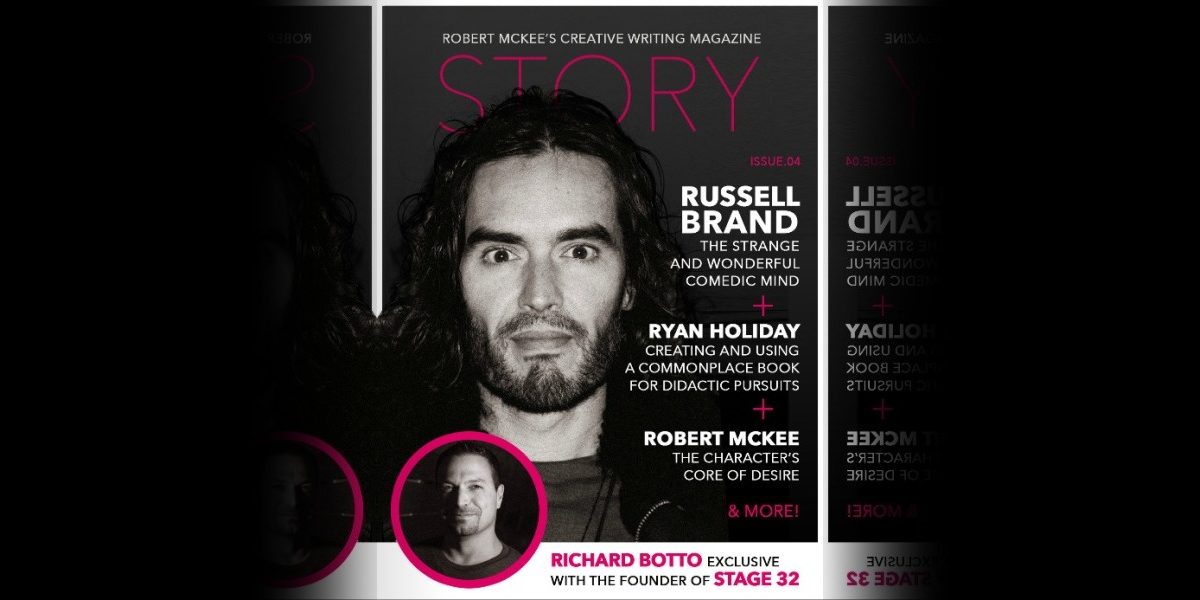
| Stage 32 Founder & CEO, RB, on the Cover of Robert McKee's STORY Magazine |
| My Most Unusual Encounter With An Actor (LA, the Mob and Acting) |

Search Stage 32 Blog
There are now 4040 blog posts for you to enjoy. Search them all by tags below.
Acting, Advice, Cinematography, Coffee & Content, Composing, Contests, Distribution, Featured, Filmmaking, Financing, Inspirational, Networking, Producing, Screenwriting, Success Stories, Tips, Trending,Relevant Tags
Recommended Articles

Green Lights and Grey Areas: Expanding Creative Collaboration in Publishing

4 Reasons To Have Audio Description On Your Film

Insider Intel: Packaging your Project- The Chicken or the Egg Dilemma

Coffee & Content: Why Your Next Step Matters More Than the Perfect Step
My Stage 32 Story: Persistence, Healing, & Creative Breakthroughs in Year 3

7 Life Hacks For Creatives
How Stage 32 Script Services Make You A Better Writer

Making Our First No-Budget Feature: The Pure Vortex Production Chaos (Part 2)

Stage 32 Featured at the 43rd Torino Film Festival!

Happy Thanksgiving From Stage 32: We Are Thankful For YOU
 Register / Log In
